
TC
Google’s Chrome OS Will Soon Look More Like Windows Than A Browser
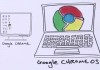
It’s hard to say how popular Chrome OS, Google’s browser-centric operating system, really is. There can be little doubt, though, that Google is quite serious about this initiative. Today, Google launched the latest developer version of Chrome OS and this update sports the first major redesign of the operation system’s interface since its launch in late 2010.
In this new version, Chrome OS almost looks like a traditional OS, with a full-blown desktop and window manager instead of just a browser and tabs. , as this hardware-accelerated window manager is known, is Chrome’s next generation user interface framework and it is making its public debut in this new developer version of Chrome OS.
This update is quite a departure from Chrome OS’s origins. Until now, Chrome OS basically just gave users access to a single browser window at a time (you could already have multiple browser windows open on separate virtual screens) and launching new apps meant you first had to open a new tab and then look for the app you wanted to start. Now, Chrome OS features a Launchpad-like app launcher, as well as a Windows-like taskbar (Google calls it a “shelf”). Apps, it is worth noting, still start in a browser tab and not as stand-alone windows, though.
In short, Chrome OS now looks and behaves a lot more like the desktop operating systems it set out to challenge.
In a way, this almost feels as if Google is admitting defeat here. When Chrome OS launched, Google’s Sergey Brin argued that traditional PC operating systems were “torturing users.” Chrome OS was supposed to be all about “speed, simplicity and security” and Google wanted to use it to “re-think what operating systems should be.” This new version, however, does away with a bit of this simplicity in favor of greater functionality. That’s not necessarily a bad thing, though, and may just help Chrome OS gain more mainstream acceptance as new users will surely find it to be a more familiar experience.
While Aura is obviously the star of this update, it’s worth noting that the latest version also introduces support for files compressed in the tar, gz and bzip2 formats, as well as better support for multi-monitor setups.
- Add new comment
- Read more
- 1050 reads
- Feed: TechCrunch
NYT Updates Its iPhone App With Push Alerts For Breaking News, New Subscription Plan
 The New York Times, struggling to find its place digitally, has just released an iPhone update today, three days before its paywall plan is put into action. Well what’s new?
In addition to an interface touch up and the option to swipe between stories, the app now has Recently Viewed items at the top of it’s Sections section, followed in order by Photos and Video, which were not at the top before. The update purportedly will add more videos and slideshows to the app, so the re-prioritization of these options makes sense (and also cents, as these two content types have proven to be the most addicting for readers). The NYT Blogs like Dealbook and Media Decoder have (finally) been relegated to their own section, at the bottom of the app.
Most importantly, in this age of Twitter, the app now has push notifications for breaking news (which users can enable in Settings) which means that you’ll actually be reminded to use the NYT app. Twitter share and Facebook share options are also available.
- Add new comment
- Read more
- 507 reads
- Feed: TechCrunch

Japan is crazy about Twitter, and today local toy maker Takara Tomy has announced Twimal (short for “Twitter Animal”) [JP], a super-cute toy “pet” that can reads out tweets loud for you. The white version does this with a female voice, while the blue Twimal uses a male voice.
- Add new comment
- 717 reads
- Feed: TechCrunch
Flurry Launches Support Program For Game Developers, Nabs Director From Playfish
 It appears there’s an arms race taking place in the mobile gaming world, and as is often the case in Silicon Valley, it starts with engineering and development talent. Google, for one, at the end of last year to stem the flow of its engineering talent to Facebook. Many companies go out of the way to court and retain top developers, but it’s traditionally been the deep pockets and reputations of big players like Apple, Google, and Facebook that win out.
- Add new comment
- Read more
- 413 reads
- Feed: TechCrunch
SoundTracking Sings The Praises Of “Mobile-First” And “From-The-Ground-Up Social”
- Add new comment
- Read more
- 424 reads
- Feed: TechCrunch
Google’s Revamped iPhone App Now Worth Using; Could Be Better Still
 Google’s flagship native app for the iPhone has always been a little odd. First of all, it was called “Google Mobile App”, which seemed a bit redundant. More importantly, it just wasn’t really worth using instead of google.com in the Safari web browser itself. But a big update today fixes both issues — and showcases how it could be ever better still.
What was the “Google Mobile App” is now simply “Google Search”. And as you can see, it looks completely different. The homescreen is now a nice big Google logo with the search box. It also allows you to easily sign in to your account. And when you do a search, this graphical interface rolls upward to reveal the results. And a swipe to the left reveals different categories to filter your search.
In other words, Google’s native iPhone app finally feels pretty native, rather than just feeling like their mobile website crammed into a native shell. And the swipe-activated filters, voice search, and Google Goggles all bring the native awesomeness. And the Push Notification options for Gmail and Calendar finally seem to be speedy enough to actually use.
- Add new comment
- Read more
- 609 reads
- Feed: TechCrunch
T-Mobile, Sprint Waive Japan Calling And Texting Fees
 As we reported yesterday, U.S. carriers AT&T and Verizon both announced that they would be waiving calling and texting fees for their users who were calling Japan, in the wake of the devasting earthquake and tsunami in the region. Since then a number of other smaller carriers are joining the mix.
T-Mobile USA is allowing postpaid customers to make calls to Japan without charges through March 31, 2011. Text messaging will also be free to and from Japan until the sale date and customers can make Wi-Fi calls to and from Japan free of charge as well.
Similarly, Sprint waived fees for text messaging and wireless calls to and from Japan for customers who are on the carrier’s networks, retroactive from March 11 and continuing to April 10, 2011. Both carriers are also waiving text message fees to mobile giving campaigns.
- Add new comment
- Read more
- 617 reads
- Feed: TechCrunch

So did Ashton Kutcher complain to some Twitter exec after at TED? As of today, Firesheep-weary Twitter users can at the bottom of Settings on their profiles. HTTPS, or Hypertext Transfer Protocol Secure uses the SSL/TSL protocol in addition to HTTP to ensure encrypted communication over a secure channel. This protects users on insecure networks like conference or coffee bar WiFi.
While Twitter users could use HTTPS prior by visiting , they now have the option to have it always on. In addition HTTPS will be used when you log into Twitter and on Twitter for iPhone and iPad.
- Add new comment
- 900 reads
- Feed: TechCrunch
Mobile App Users Are Both Fickle And Loyal: Study

A study released by Massachusetts-based application analytics firm Localytics today confirms my suspicion that we both love — and are quickly bored by — our mobile applications. And, perhaps, that studies will confirm just about anything.
In part 1 of its study, Localytics analyzed thousands of Android, iPhone, iPad, BlackBerry and Windows Phone 7 apps. Using its realtime app analytics service, they found that, while most smartphone users are willing to try new apps (as evidenced by the 10 billion downloads from the iTunes store), 26 percent of the time they download an app, use it once, never to use it again.
- Add new comment
- Read more
- 640 reads
- Feed: TechCrunch
Apple Keeps Right On Approving Amazon And Netflix Updates Without In-App Purchases
 Remember when everyone was freaking out over the Apple in-app subscription changes? You should. It was just a month ago. And while some of the fears that arose do appear to be very real, the two things most people focused on were Amazon’s Kindle app and the Netflix app. Well guess what? Both received updates today, and neither includes the supposedly mandatory changes.
- Add new comment
- Read more
- 429 reads
- Feed: TechCrunch
 YouTube seems laser-focused on amping up its overall content quality as of late, with the Next New Networks just last week and that it has acquired digital video technology company Green Parrot Pictures.
“Some of YouTube’s most popular or moving videos are shot using low-quality mobile phones and video cameras. Take, for example, videos of recent protests in Libya. Although emotionally captivating, they can be jerky, blurry or unsteady.
What if there was a technology that could improve the quality of such videos — sharpening the image, reducing visual noise and rendering a higher-quality, steadier video — all while your video is simply being uploaded to the site? You can imagine how excited we were when we discovered an small, ambitious company based in Ireland that can do exactly this.”
- Add new comment
- 317 reads
- Feed: TechCrunch
 MIC Gadget can’t get a break. After being C&Ded for selling Steve Jobs action figures, now they can’t even sell these goofy little “Poke” figures of Mark Zuckerberg.
The figures went for $69 bucks – a bit much for a statuette of some rich dude – but they were obviously all in fun and I doubt that Facebook is planning a huge executive action figure push this Christmas. However, MIC is now no longer allowed to sell the figures and even received a C&D from a Beijing law firm:
- Add new comment
- 413 reads
- Feed: TechCrunch
AOL Asks Us If We Can Tone It Down

Earlier this week I interviewed Duncan Jones and Jake Gyllenhaal at SXSW, at the press junket for their movie The Source Code. While the film doesn’t have a huge tech angle other than the title, I thought it might be good video content for TCTV—the intersection of Hollywood and Silicon Valley is fascinating, and the movie industry is one of the last to get disrupted. It’s always interesting to see how old school media players are aware of the monumental shifts going on in their own industry.
In any case I thought that the way The Source Code and Summit Entertainment were trying to target the tech press and, through us, our more social media savvy readers was an intriguing marketing strategy—and an angle! I wrote my “Jake Gyllenhaal Movie ‘The Source Code’ Markets Itself To Techies“ post about that instead of turning it into a free ad for the film.
- Add new comment
- Read more
- 398 reads
- Feed: TechCrunch
Google’s AdMob Adds Windows Phone 7 SDK; HTML5 And Tablet Support For iOS And Android Ads
 Google-owned mobile ad network AdMob is a number of new products and features today for developers and advertisers. This includes the launch of the beta SDK for Windows Phone 7, which will allows these platform developers to advertise via AdMob.
Google director of engineering Mark Schaaf (who is a former AdMob Engineering Director and the network’s third employee) says that the addition of Windows Phone 7 SDK aligns with Google’s openness strategy, which in AdMob’s case, allows developers and advertisers to users across multiple mobile platforms. He says that the AdMob network currently includes more than 50,000 mobile applications across iOS, Android, and webOS platforms.
- Add new comment
- Read more
- 647 reads
- Feed: TechCrunch
AutoTech Video Review: Infiniti QX56
 The Infiniti QX56 is the motoring equivalent of a scrumptious wedding cake: big and tall, classy, and oh so delicious. As the embedded video explores, the QX56 is a massive vehicle that knows how to handle itself while presenting the driver with a competent dash cluster and infotainment system The in-vehicle technology isn’t over done. It’s not loaded to the chassis with gadgets or crazy one-off functions. It’s subtle technology done right.
In this episode of AutoTech I take the $71,000 Infiniti QX56 through the empty streets of Flint, MI while waxing on about this and that. If nothing else, click through for the beats of Freeway by Spinnaface. It’s really the best part of the video. Well, the truck is nice, too.
- Add new comment
- Read more
- 379 reads
- Feed: TechCrunch
LinkedIn Teams Up With Snaptu To Launch Smartphone-Like App For Feature Phones
 Professional social network LinkedIn has a rapidly growing userbase outside of the U.S., and increasingly users want to access the network from their mobile phone. But until now, the company has only offered smartphone apps, as opposed to feature phone apps. Feature phones actually represent 80% of the devices sold worldwide. Today, LinkedIn is with mobile developer Snaptu to launch a rich application for feature phones.
According to the announcement, the app will work across 2,500 device models, including those from Nokia, Sony Ericsson, and LG. Snaptu focused on bringing the most commonly used LinkedIn features in the new app, allowing users to access their update stream, search professionals on the network, invite fellow users to join their network and accept invitations. Users can also access full users profiles of professionals on LinkedIn.
- Add new comment
- Read more
- 528 reads
- Feed: TechCrunch
Google Apps Users Can Now Choose If They Want Immediate or Scheduled New Feature Releases

Google’s development strategy is more agile, and products are consistently updated with new features and improvements. For example, in 2010, Google implemented 130 feature releases for its Google Apps Platform. For Google Apps users, new product additions can be overwhelming to keep track of, so today Google is making it easier for customers to access the latest Google Apps features in the timeframe that makes sense for them.
Users can now choose between two feature tracks—rapid release and scheduled release. Rapid Release users will have access to new features as soon as the features have completed testing and quality assurance, and are ready to roll out. Scheduled Release users will access new features on a weekly schedule, with at least a one-week notice following the initial feature launch. These users can also preview feature releases on a test domain.
Both rapid release and scheduled release will involve new feature additions for most of th products in the Google Apps Suite, including Gmail, Contacts, Google Calendar, Google Docs and Google Sites.
- Add new comment
- Read more
- 302 reads
- Feed: TechCrunch
2tor Raises $32.5 Million Series C To Make Online Education Great

“One reason online education isn’t that good is I don’t think it is trying to be that good,” says John Katzman, the CEO of 2tor, an online education startup that is trying to break that mold. The company, headquartered in New York City’s Chelsea Piers, just raised a $32.5 million series C financing, led by Bessemer Venture Partners. All of its existing investors—Highland Capital, Redpoint, Novak Biddle, City Light—re-upped. Since it was founded in 2008, 2Tor has raised a total of $65 million.
- Add new comment
- Read more
- 504 reads
- Feed: TechCrunch
eBay Kills Upfront Costs For Auctions Of Up To 50 Items Per Month

Ecommerce juggernaut eBay this morning announced that it is making it free to list up to 50 items per month in auctions at any start price, and free to add the “Buy it Now” option to those listings.
Effective April 19, 2011, the new pricing builds on free-listing promotions announced back in January 2010.
In related news, eBay is reducing Final Value Fee rates for Store and Fixed Price sellers (on July 6, 2011), and will apply the Final Value Fee to the total amount of a sale to encourage sellers to give buyers more options for low-cost or even free shipping.
That should be good news for buyers, but not so much for sellers as eBay will take a larger commission from merchants that charge for delivery.
For more information, check AuctionBytes.
- Add new comment
- Read more
- 354 reads
- Feed: TechCrunch

As we heard last week, Twitter regarding its ecosystem, stating that third-party developers should no longer try to compete with Twitter on native clients; instead they should focus on things like data and specific verticals for Tweets. In the email sent to developers, Twitter said that some 90 percent of active Twitter users now use official Twitter apps on a monthly basis to access the service. Social media analytics company Sysomos decided to that Twitter made this announcement to determine if there was any truth to this assertion.
- Add new comment
- 351 reads
- Feed: TechCrunch
- 1
- 2
- 3
- 4
- 5
- 6
- 7
- 8
- 9
- next ›
- last »